Meeting rooms made simple for your workplace.
Meet Me At Work puts a QR code on your meeting-room doors. Your team scans, sees live availability, and books in seconds — from a phone, a browser, or right inside Outlook and Teams.
No card required — your first room is free for life.
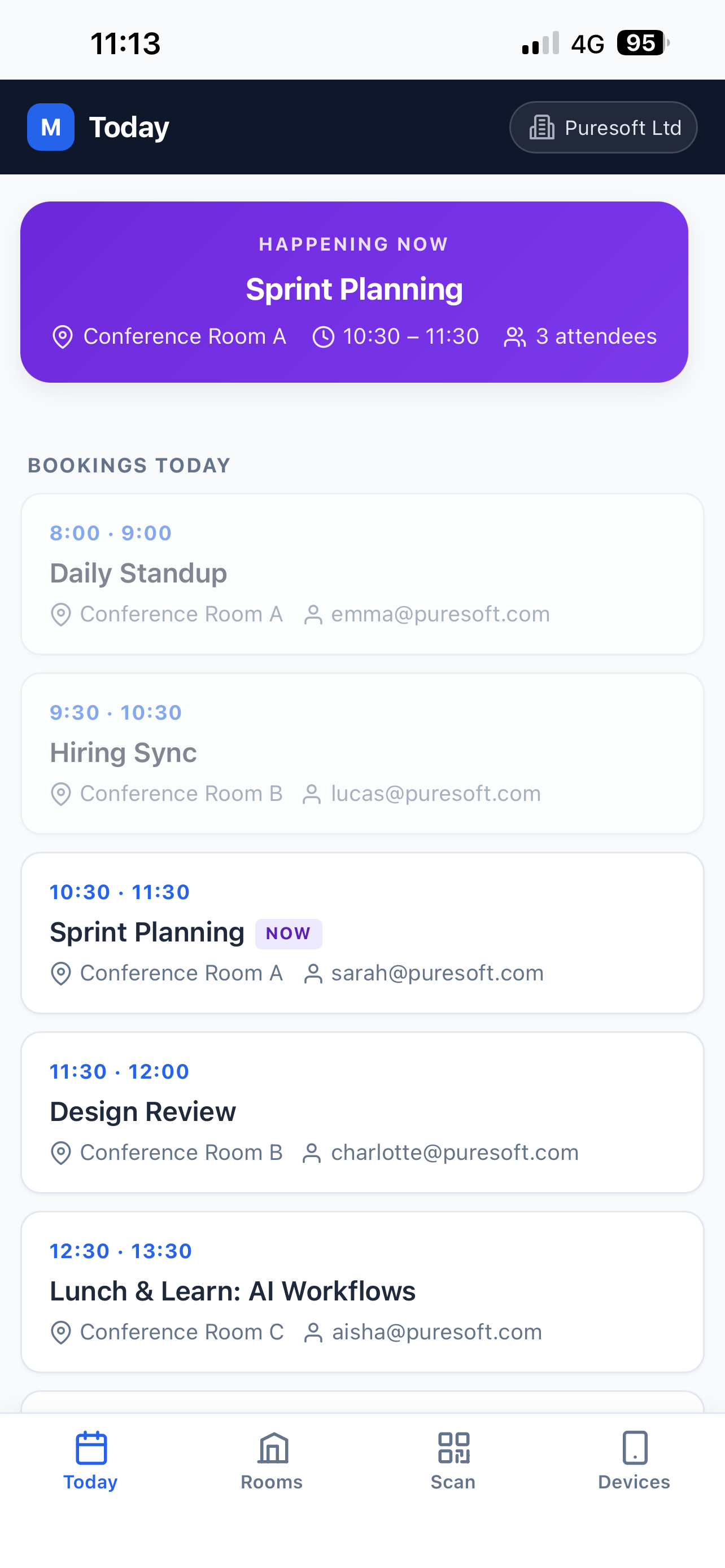
Works everywhere your team already does
- Any web browser
- iOS & Android app
- Outlook & Teams
From door to booked in three steps.
No accounts to provision, no software to roll out. The QR sign on the door is the onboarding.
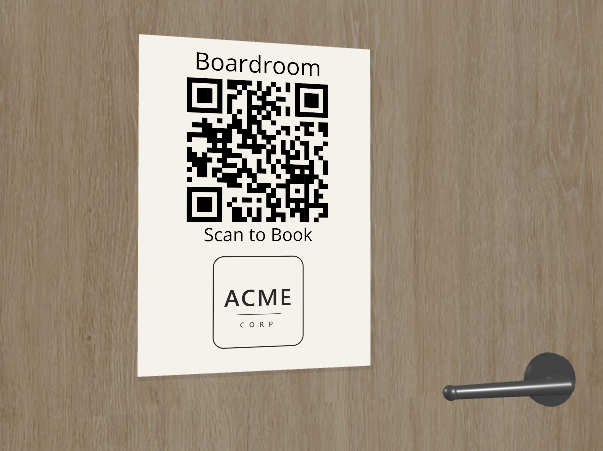
Scan the door
Point your camera at the room’s QR sign — or click the room’s link from your intranet or inbox.
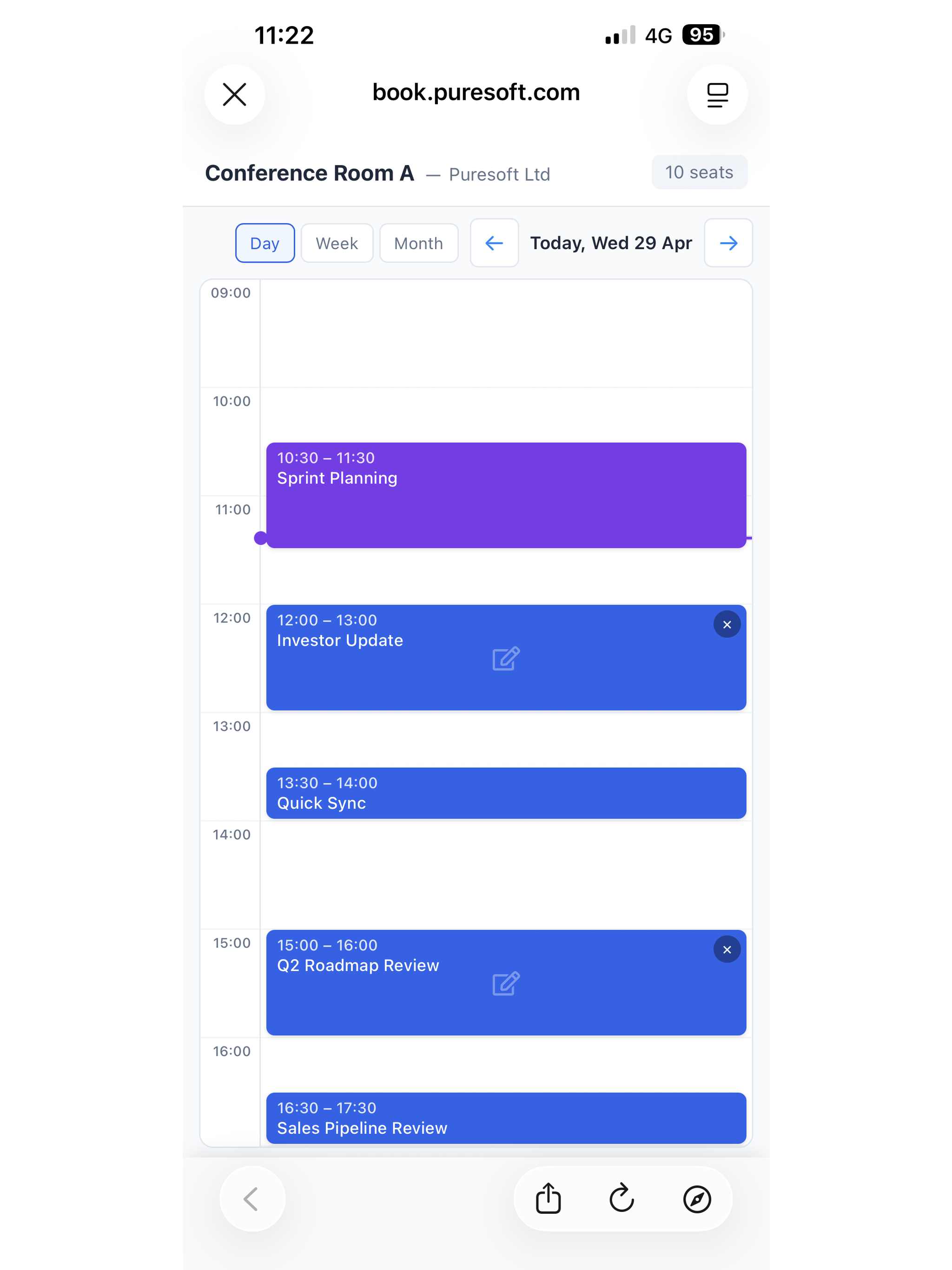
See it live
The room’s real calendar loads instantly. Free slots are obvious; busy ones say so.
Book it
Pick a slot, add attendees, done. Everyone gets an email with a calendar invite attached.
Book a room in seconds.
Zero-friction booking from any device. Start with the web in a phone’s browser; add the free staff app when your team wants notifications and offline access.
Scan & book
Point your camera at the QR on the door. The live calendar loads instantly — pick a slot, add attendees, you’re done.
Book from a link
Every room has a shareable URL. Click it from your inbox, calendar, intranet, or the org’s room directory — same live booking page.
iCal invitations
Every booking email carries an .ics attachment, so the meeting lands straight in Outlook, Google Calendar, or Apple Calendar for every attendee.
Run the whole estate from one calendar.
Built for the people managing rooms, not just the people booking them.
Drag-and-drop scheduling
Drag on the calendar to create a meeting, drag an existing block to reschedule, click to edit attendees or notes. Nothing to learn — it behaves the way you’d guess.
Your rooms, your way
Drag rooms to reorder, drag them between sites, right-click to clone. Publish a branded directory on your own domain with friendly names like /boardroom.
Rules & permissions
Set available hours and slot lengths per site. Invite sub-admins. Revoke a leaver’s access in one click — their next page load lands on the sign-in screen.
Sub-admins & delegation
Give site managers the keys to their own site without handing over billing. Revoke or re-scope at any time from one place.
Usage analytics
See which rooms are over-booked, which are under-used, and when your peaks are. Data you can hand to facilities without opening a spreadsheet.
Booking assistant
Describe a tricky booking in plain words — a recurring series, a clash to resolve, the right-sized room — and the assistant sets it up. Typed or spoken, in Outlook & Teams.
Book rooms without leaving Outlook or Teams.
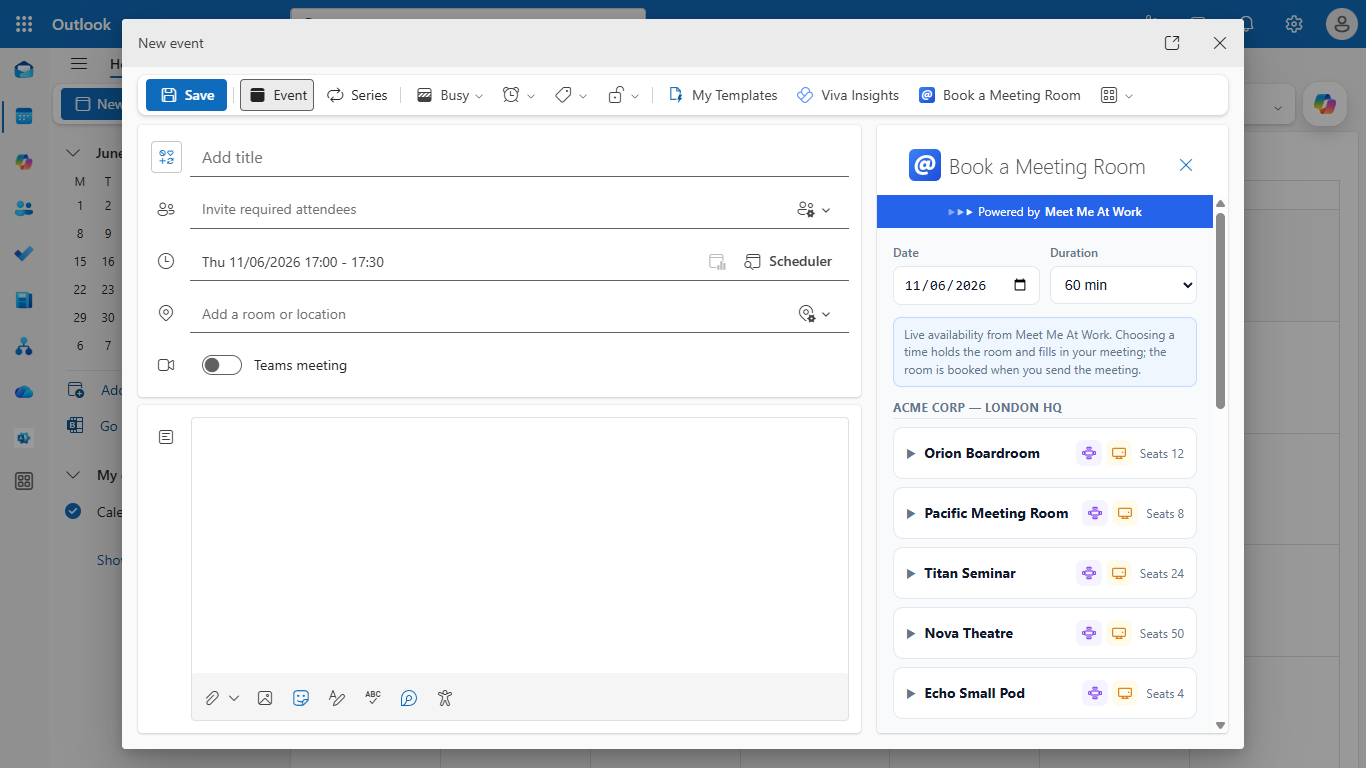
Your team already schedules meetings in Outlook and Teams. Now the room comes to them: live availability right inside the compose window and the Teams tab, on web and desktop.
- Just describe it — typed or spoken. “Book Boardroom A Friday 2pm for an hour.” The assistant finds a free room, checks for clashes, and sets the meeting up — in both Outlook and Teams.
- Live availability, in the compose window. Pick a date and duration; every room shows what’s actually free right now.
- The room books itself when you hit Send. Choosing a slot holds the room and fills in your meeting; sending the invite confirms the booking. No double-entry.
- The whole estate in one tab. A pinned Teams and Outlook tab shows every room across every site on one calendar — spot a free slot and book it in place. Recurring series are handled per date: a weekly stand-up that clashes on one occurrence lets you re-time, switch room, or skip just that date.
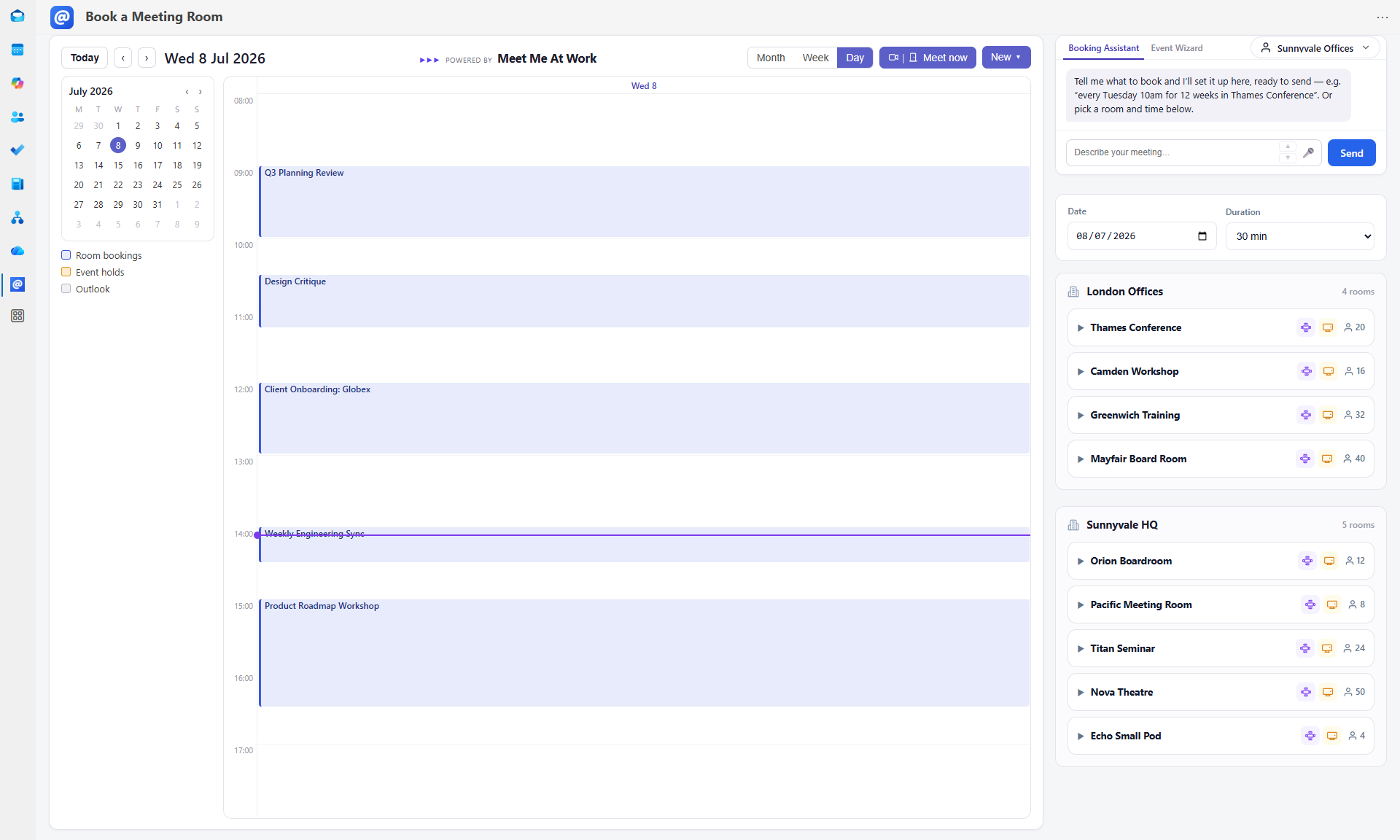
Rolls out from the Microsoft 365 admin centre in minutes — your team finds Book a Meeting Room in the Outlook ribbon and as a pinned Teams tab.
Get started today.
Set up your first free room, print the QR code, stick it on the door. Traditional, hybrid, or remote-first — add the Outlook & Teams integration and the free staff apps on your timetable, not ours.
Get your first room freeSimple pricing, free to start.
Your first room is free for life — a gift, not a trial. Only pay from your second room onwards.
£0for life
Your first room
Everything you need to put one room live today — no card required.
- One free room, no card required — trial us today
- Permanent QR code on the door
- Shareable room link
- Live booking calendar
- Email confirmations with iCal
- Upgrade this room anytime for further Pro features
- Or get creative — use your free room calendar for team events or socials!
from£5room/month
Every room after that
Priced by room size, on one monthly subscription for the whole organisation.
Excludes VAT, added at the UK rate.
- Outlook & Teams booking
- Booking assistant — typed or spoken
- Recurring meetings helper
- Meeting duration limits
- Usage analytics
- Custom domain
- Friendly room URLs
- Sub-admin accounts
Frequently asked questions.
If you can’t find what you’re looking for, drop us a line and we’ll get back to you.
-
-
Is the first room really free?
Yes — free for life, not a time-limited trial. No card details are taken. You only pay when you add a second room.
-
Do my staff need accounts or passwords?
No passwords, ever. Staff sign in with their work email and a one-time magic link. There’s nothing for IT to provision and nothing for anyone to forget.
-
What happens when someone scans the QR code?
The room’s live calendar opens on their phone immediately — today’s bookings, free slots, and a book button. From scan to booked is typically under thirty seconds.
-
-
-
Does it work with Outlook & Teams?
Yes. The Outlook add-in puts live room availability inside the New Event window, and the room books itself when the invite is sent. In Teams, a pinned tab shows every room across every site on one calendar so you can book without leaving the app. Both roll out to your whole team from the Microsoft 365 admin centre.
-
Do bookings land in people’s calendars?
Every confirmation, update, and cancellation email carries a calendar attachment, so the meeting lands straight in Outlook, Google Calendar, or Apple Calendar for every attendee.
-
What stops double bookings?
The calendar is the single source of truth — a slot that’s taken can’t be booked again. For recurring meetings, any clashing date is flagged individually so you can re-time or skip just that occurrence.
-
-
-
How does billing work?
One monthly subscription per organisation covers every paid room, priced by room size. Add or remove rooms any time; changes are prorated automatically.
-
Can I limit how long people can book?
Yes. Set available hours, minimum slot lengths, and a maximum booking length per room. Anything over the limit goes to an admin as a request instead of booking outright.
-
Can I use my own domain for room links?
Pro rooms can live on your own domain with friendly names — like book.yourcompany.com/boardroom — alongside the QR codes, ideal for intranets and email signatures.
-
Get started
Enter your work email and we’ll send you a sign-in link.
Sign in with Google